Sign up as a student
Make your CodeTribe account from your teacher's invite link, or on your own, with Google or your email.
You need an account to join your class, which CodeTribe calls a Tribe, and to keep your work. If your teacher sent you an invite link, sign up from that link. You join their Tribe at the same time.
Sign up from your teacher's invite link
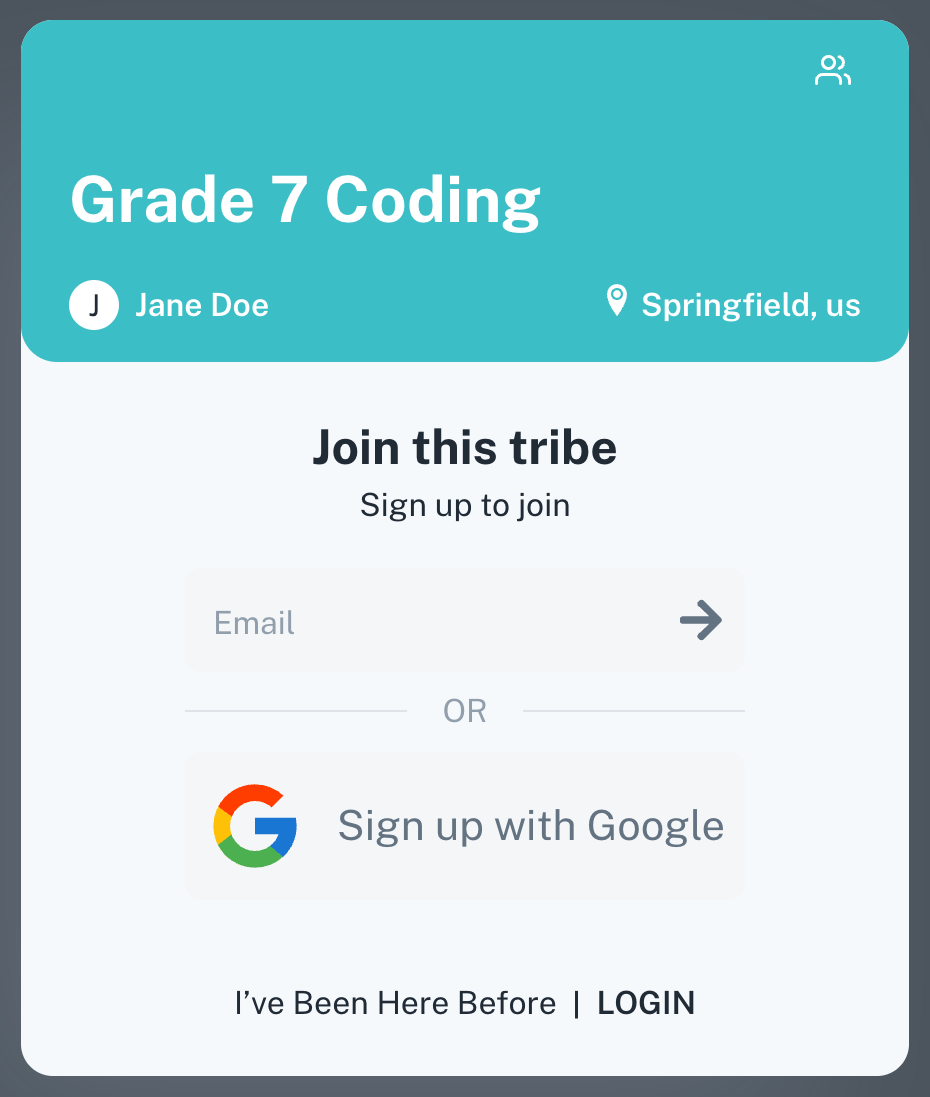
- Open the invite link your teacher sent you. The Join this tribe card shows your class's name.
- Select Sign up with Google, or type your email in Email and select the arrow.
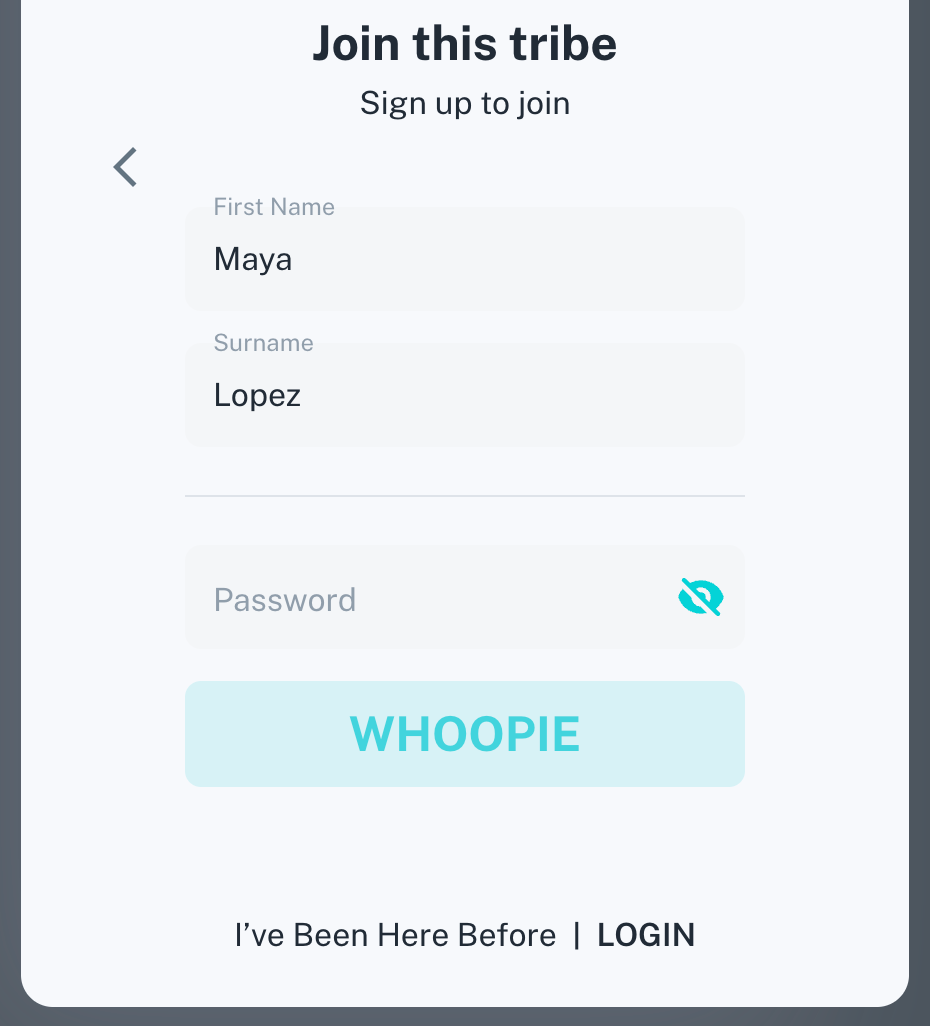
- If you used your email, type your First Name and Surname. In Password, choose a password of at least 10 characters.
- Select WHOOPIE. CodeTribe makes your account and signs you in.
- CodeTribe adds you to your teacher's Tribe and says You have been added to the tribe. Select Awesome. Thanks! to open it. If your teacher approves new members first, CodeTribe sends them your request instead, and you can open the Tribe once they've approved you.
Sign up on your own
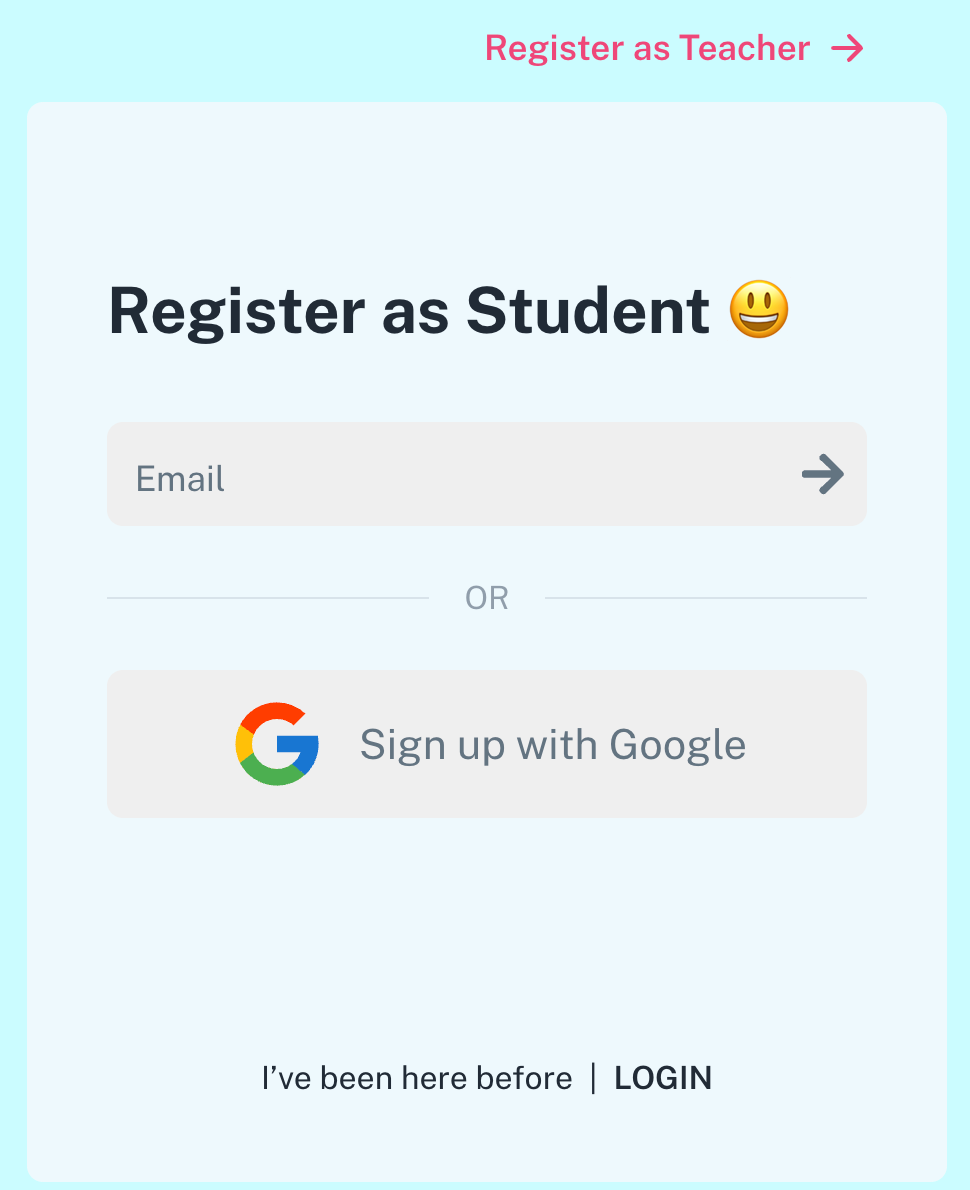
- Open codetribe.ai/auth/signIn. Next to This is my first time here, select REGISTER.
- On Register as Student, select Sign up with Google, or type your email in Email and select the arrow.
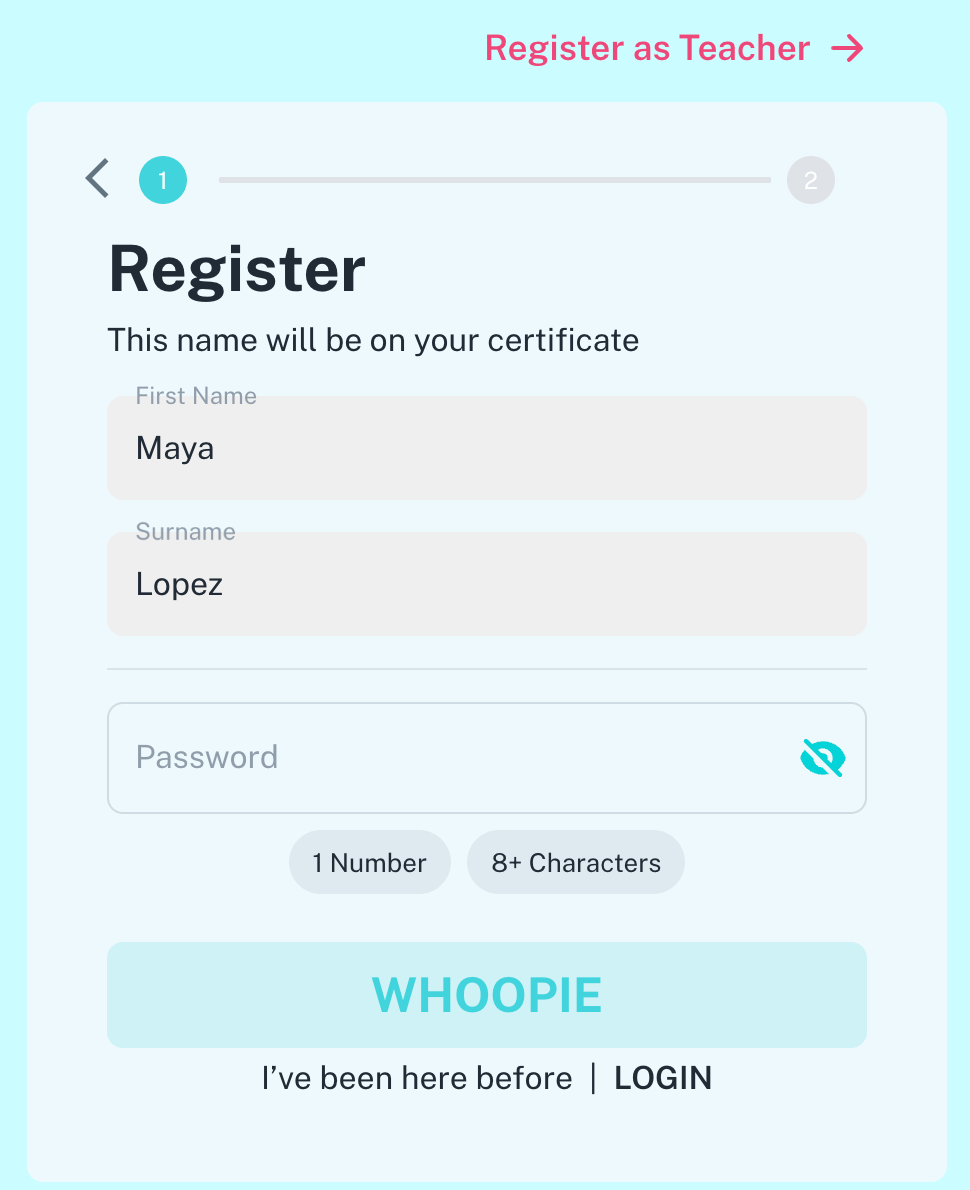
- If you used your email, type your First Name and Surname. This is the name on your certificates.
- In Password, choose a password with at least 8 characters and 1 number.
- Select WHOOPIE. CodeTribe makes your account and signs you in.
To join your class next, see Join your class. If you're a teacher, select Register as Teacher at the top of the page instead.