Read your students' feedback
Read what students say about their lessons and slides, see each message with the student's code, and find the lessons that need work.
Students rate lessons and slides with stars, picks and a comment. Owners and admins read every message from your organization on Feedback.
Read the messages
- In the sidebar, under Administration, select Feedback.
- The Messages tab shows the newest messages first. Narrow them with the search box and the Box, Problem and Stars filters. Ratings with only stars are hidden until you turn off Hide star-only ratings.
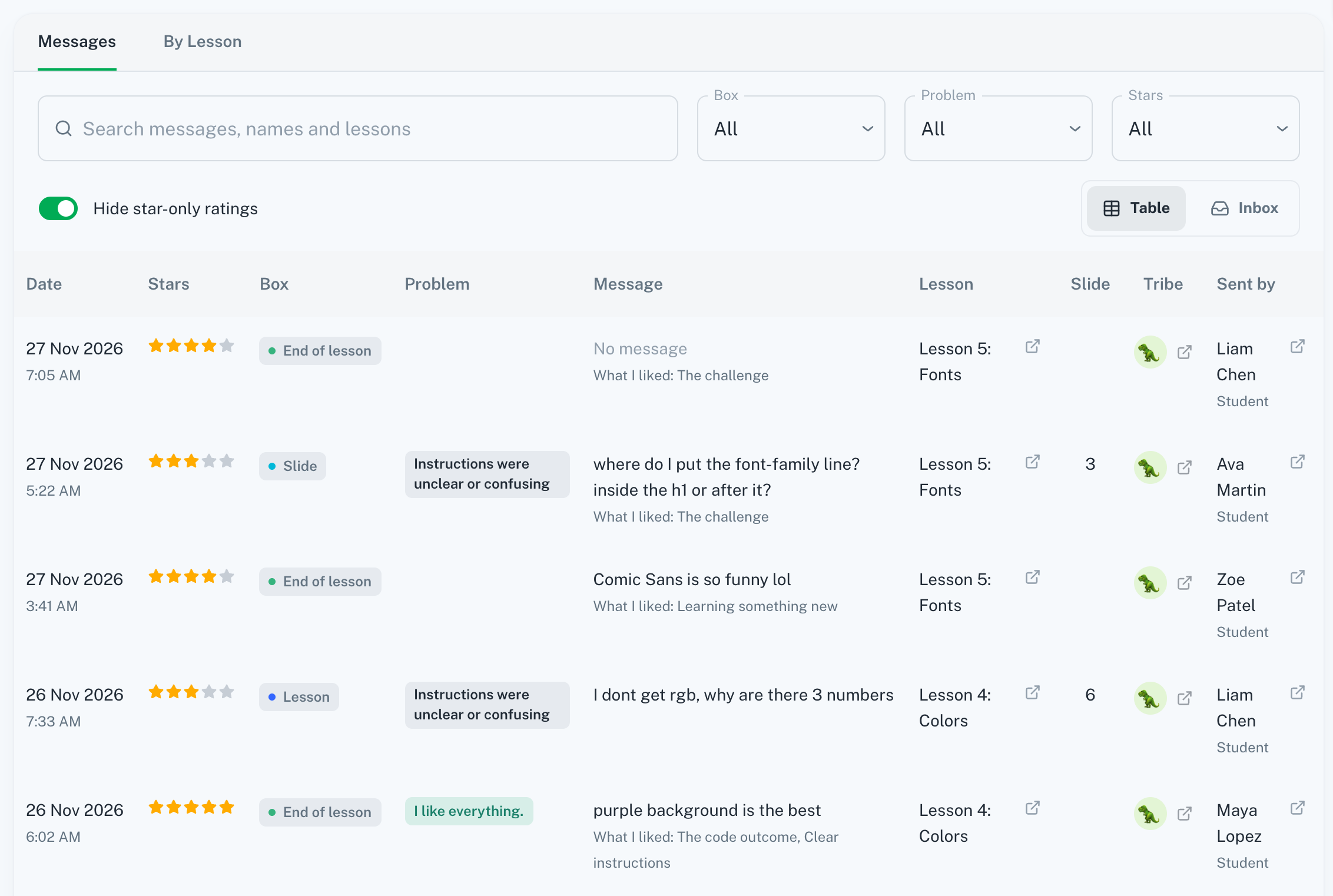
- Select a message to open it. You see the stars, the comment, what the student liked and the problems they picked, the lesson and slide, the class, and the code the student had on screen.
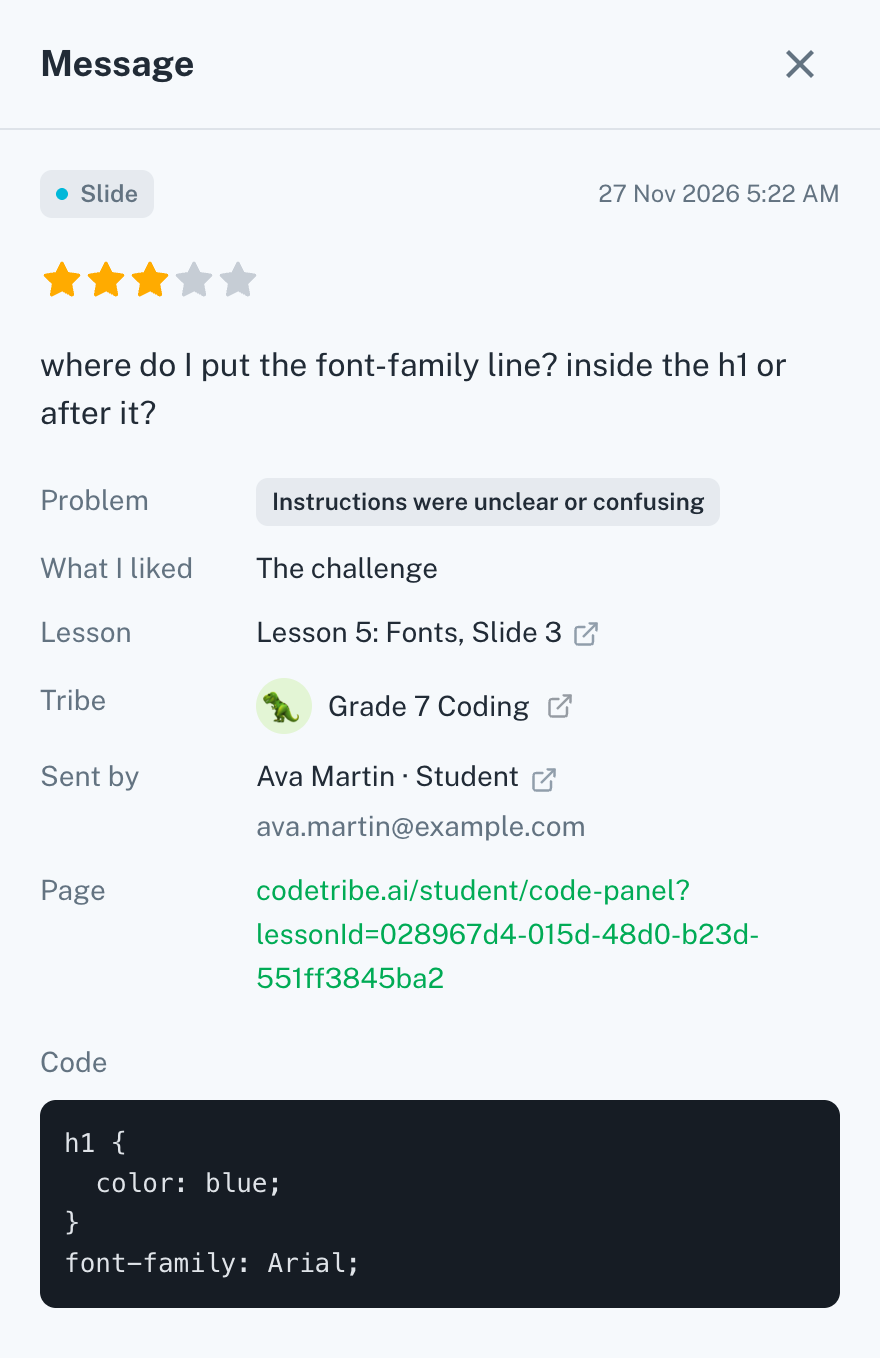
To read the messages one after another, select Inbox. The list sits on the left and the open message on the right.
If CodeTribe Support replies to a message, the reply shows under it. You can't reply from this page.
Find the lessons that need work
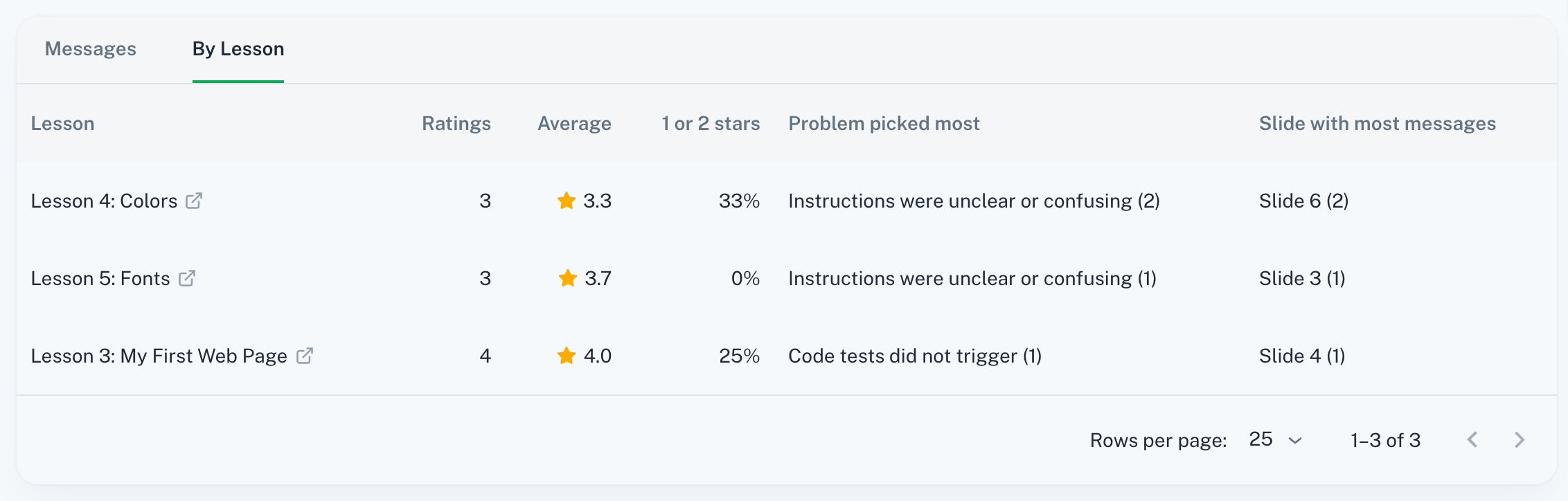
Select the By Lesson tab. Each row is a lesson, with its number of ratings, its average stars, the share of 1 or 2 star ratings, the problem students picked most, and the slide with the most messages.
Teachers see their own class's messages on the class page, in the Feedback tab: see Track your students' progress.